Two kinds of "shape", and this page covers both
People mean two different things by a QR code shape. One is the outline of the whole code: a heart, a circle, a speech bubble. The other is the style of the little squares inside it: rounded, dots, classy. The generator above does both, and you can combine them.
Whole-Code Shapes
These change the outline of the entire code. In each one the three finder squares, the big corner markers a phone looks for first, stay whole inside the shape. That is why a shaped code still scans on an ordinary phone camera with no app.
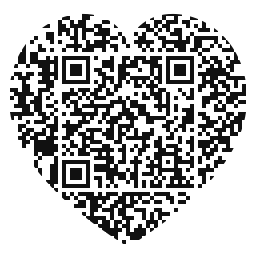
Heart
The most searched shape by far. Valentine's cards, weddings, gifts and anything personal. Deep red on white prints safely.
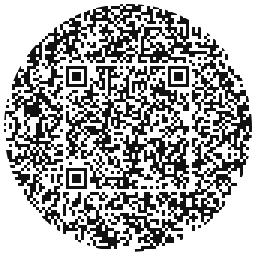
Circle
For round spaces a square looks wrong in: stickers, bottle caps, badges, coasters, record labels. The real code sits whole in the middle.
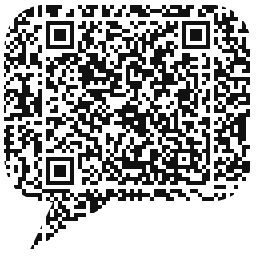
Speech bubble
A code that looks like it is talking to you. Suits feedback cards, support links and invitations to start a conversation.
Module Styles: What the Squares Look Like
These keep the code square and change how each of its small squares is drawn. They are the subtler option, and the safer one when the code will be printed small.
- Square. The classic look, and the most reliable at tiny sizes.
- Rounded. Softer corners on every module. Reads as friendlier without looking unusual.
- Dots. Each module becomes a dot. This is what many people mean by a "round QR code", although the code itself is still square.
- Classy. A more decorative module style for print that should look designed rather than functional.
Want your brand in the middle instead of a shape? That is a separate option: see the QR code with logo generator.
How to Make a Shaped QR Code
Enter your content above
Paste a link or pick another type: Wi-Fi, email, SMS, vCard or text.
Open the shape options
Choose Heart, Circle or Bubble for the outline, or Square, Rounded, Dots or Classy for the modules.
Pick your colours
Dark on light scans best. A deep red heart or a navy circle both print safely.
Download
SVG, EPS or PDF for print so the outline stays crisp at any size, PNG or JPG for screens.
Which Shape Should You Pick?
A card, gift or invitation
Heart. It says what the occasion is before anyone scans it. See the Valentine and wedding pages for ideas.
A round sticker or label
Circle. A square code on a round label wastes the edges and looks like an afterthought.
A poster asking for a reply
Speech bubble. The shape does the job a "scan me" caption usually does.
Anything printed very small
Stay square and pick Rounded or Dots for style. Shapes spend some space on their outline, so they want a little more size.
Keep a Shaped Code Scannable
A shape adds nothing to what the code can hold and takes a little away from the space it has, so give it room. Print a shaped code a bit bigger than you would a square one, keep the colours dark on light (our colour test shows contrast is what a camera reads), and leave clear space around the outline. Test the printed proof on two phones before you print the whole batch.
Frequently Asked Questions
Yes. The heart, circle and speech bubble all keep the three finder squares and the data intact, so a normal phone camera reads them without an app. Test a printed proof before a big print run, as you would with any code.
Not always. Some people mean a square code drawn with round dots, which is the Dots style. Others mean a code whose whole outline is a circle, which is the Circle shape. The generator above does both.
Yes. Every shape and module style is free, with no account and no watermark, and you can download it as PNG, JPG, SVG, EPS or PDF.
You can pick colours for any shape. For a logo in the centre, a plain square code with the logo option leaves the most room for the data, so use that when the logo matters more than the outline.
The standard square, especially when printed small. Shapes give up a little space to their outline, so print them slightly larger.
Keep reading
Related pages on QR Studio.
- the heart QR code in detailColours that print safely, and where it gets used.
- how a circle QR code worksWhy the real code sits whole in the middle.
- the speech bubble QR codeA shape that asks to be scanned.
- a logo instead of a shapeWhen the brand matters more than the outline.