One code, instead of a paragraph of instructions
A wedding invitation has limited room and a long URL wastes it. A QR code hands guests the RSVP form, the gift list, or the photo album in one scan, and it works on any modern phone camera without an app. Static codes never expire, so a save-the-date printed today still works next year.
What Couples Actually Use a Wedding QR Code For
The codes that earn their place on stationery are the ones that save a guest typing something. In rough order of usefulness:
- RSVP form. The single best use. Replaces posting cards back and chasing people, and you get the responses in a spreadsheet.
- Wedding website. Directions, timings, dress code, hotels, and the story. One code covers everything and you can edit the page afterwards.
- Shared photo album. On table cards, so guests upload their own photos to one place instead of scattering them across their phones.
- Gift list. On a separate insert rather than the main invitation, which most etiquette guides still prefer.
- Venue Wi-Fi. On a table card for evening guests. QR Studio has a dedicated Wi-Fi QR code generator that connects a phone without anyone typing a password.
- Live stream link. On a card posted to guests who cannot travel.
How to Make a Wedding QR Code
Decide what the code should open
Pick one destination and stick to it. An RSVP form and a wedding website are the two that earn their place on an invitation.
Paste the link into QR Studio
Open the generator, leave the type on Link, and paste your URL. The preview appears as you type.
Choose a shape and colour
Heart suits a save-the-date. Square is the safer choice when the code is printed small. Keep the foreground dark against a pale background.
Download as SVG for print
SVG stays sharp at any size, which is what your printer wants. PNG is fine for anything that stays on a screen.
A QR Code for Wedding Photos
Your guests will take hundreds of photos you never see. They stay on phones, go round a group chat for a week and then disappear. A QR code on each table that opens one shared upload page fixes that: guests scan, pick their photos and send them to you while the night is still going.
The code only opens a link, so the real decision is where that link goes:
- A shared album in Google Photos or iCloud. Free and familiar, but guests usually have to sign in before they can add anything, and some will not bother.
- An upload link that needs no account, such as a Dropbox file request. Guests pick their photos and send them without signing in to anything, and every picture lands in one folder.
- A wedding photo app. Built for exactly this, often with a live slideshow at the reception. Most charge a one-off fee.
Whichever you pick, test it on someone else's phone before the day: scan, upload one photo, check it arrived. Put the code on table cards and by the bar rather than on the invitation, because guests need it on the night, not three months earlier. And say what it does right next to it, for example "Scan to share your photos with us".
Printing It Without It Failing on the Day
Most wedding QR codes that fail were never tested on paper. Five things decide whether it works:
- Size. Around 2cm square is the floor for something held in the hand. For a welcome sign guests scan from a metre back, go to 10cm or more.
- Contrast. Dark ink on pale card. Cameras read light and dark, not colour, so a pastel code on cream card can fail even though it looks fine to you.
- Quiet zone. Leave clear space around the code. Type crowding the edge is a common cause of a code that scans on screen and not in print.
- Stock. Matte beats gloss. Metallic and foiled stocks throw glare straight back at the lens.
- Proof it. Print one, scan it with two different phones, in the light the venue will actually have.
Download the SVG rather than the PNG when you send artwork to a printer. SVG is vector, so it stays sharp whether it is on a 5cm insert or a 2 metre welcome board.
Heart-Shaped, for Save-the-Dates
A wedding QR code does not have to look like a barcode. QR Studio can lay the whole code out as a heart rather than a square, which suits a save-the-date or an engagement announcement where the code is large enough to carry the shape.
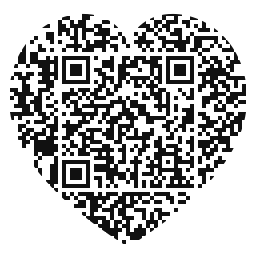
See the heart-shaped QR code generator for how it works and when to avoid it.
Frequently Asked Questions
About 2cm square is the practical floor for a code held in the hand, and larger if it is on a sign guests scan from a metre away. A rough rule is that the printed width should be at least a tenth of the scanning distance.
One thing, not several. RSVP forms and wedding websites work best. If you need more than one destination, put the QR code on a wedding website that links onward, rather than printing three codes.
Not with a free static code, and that is the honest answer. The URL is encoded into the pattern itself. Point it at a page you control, such as your own wedding website, then change what that page says whenever you like.
Usually, if contrast holds. Dark ink on pale card is reliable. Metallic and glossy stocks cause glare that defeats the camera, and dark card with light ink is the most common failure. Always scan a printed proof, not the screen.
No. Every current iPhone and Android camera reads QR codes natively. Guests on much older phones may not, which is why a printed short URL alongside the code is worth the space.
Make a QR code that opens a shared album or an upload link and put it on the tables. A link that lets guests upload without signing in, such as a Dropbox file request, is the easiest for them. Test it on another phone before the day.
Keep reading
Related pages on QR Studio.
- the heart-shaped generatorThe shape most couples actually want on the invitation.
- add a monogram to the centreInitials in the middle of the code, if the scan survives it.
- the Valentine's versionSame styling, different occasion.
- whether your colour scheme will scanBlush and gold are exactly the palette that fails.